If you are searching for what is Happy Horse 1.0, the most useful short answer is this:
Happy Horse 1.0 appears to be a search label for the current Happy Horse AI video product, not a clearly separated standalone product page on the current site.
That distinction matters.
Most people asking this query are not really looking for a dictionary definition. They are usually trying to answer a more practical set of questions:
- Is Happy Horse 1.0 a real product or just a keyword?
- What can the current product actually do?
- Which models are publicly visible right now?
- How does pricing work before I spend money?
This guide is written to answer those questions in a more decision-friendly way.
Quick internal links: Keep the AI video generator, create workspace, pricing page, and showcases library open while you read. This makes it much easier to verify the claims in this article against the live product.
Editorial Note
To make this article more useful and more trustworthy, we reviewed the current public Happy Horse product surfaces on April 9, 2026, including:
- the homepage
- the create workspace
- the AI video generator page
- the pricing page
- the showcases page
- the about page
This article reflects how Happy Horse is currently presented on its own site and in its current public product flow. It is not framed as a third-party benchmark test, and it should not replace your own hands-on evaluation before you buy credits or subscribe.
The Clearest Current Answer
Based on the current site structure, Happy Horse is presented as an AI video workflow built around:
- prompt-based generation
- image-guided generation
- clip- or reference-guided generation
- credit-based usage
- creative controls around motion, framing, style, and audio
So if you search for "what is Happy Horse 1.0," the most accurate practical answer is not "it is one exact model page." It is closer to this:
Happy Horse 1.0 is best understood as a search intent around the current Happy Horse AI video product and workflow, which now exposes several model variants and a credit-based creation stack.
The First Thing To Know: "Happy Horse 1.0" Is Not the Clearest Product Label on the Current Site
One of the most useful things we can say here is also one of the easiest details to miss.
On the current public site, the main brand presentation is Happy Horse AI Video. In the current video generator flow, the visible model names are more specific:
- Happy Horse2 Fast
- Happy Horse2
- Happy Horse1.5 Pro
That means searchers looking for "Happy Horse 1.0" may be using an older-generation term, a broader brand keyword, or a community shorthand rather than landing on a clearly separated "Happy Horse 1.0" product page.
This is exactly why a useful article should not over-claim certainty. The site clearly presents a real Happy Horse video product, but the public product surface currently emphasizes newer model labels more directly than a standalone "1.0" page.
The current homepage positioning emphasizes the broader Happy Horse AI Video workflow, which is why this query is more useful as a current-product guide than a pure version-history post.
What the Current Product Appears To Support
The current site looks more like a working AI video product than a thin landing page. Based on the live public copy and generator options, here is what the current workflow appears to support.
If you want to compare these claims against the live interface, the fastest path is to cross-check the AI video generator page, the create workspace, and the public showcases page side by side.
1. Text-to-video generation
The current generator supports prompt-led creation. In plain terms, that means you can start with a text description of:
- scene
- action
- style
- framing
- camera movement
That is important because many users asking "what is Happy Horse 1.0" are really trying to figure out whether the product is usable without building a custom pipeline from scratch. The current answer appears to be yes: prompt-led creation is clearly part of the product.
2. Image-to-video workflows
The current public video generator also supports image-driven starts, including first-frame usage and more controlled image-to-video behavior.
That makes Happy Horse more practical for users who do not want to start from text alone. If you already have a product image, a concept frame, a poster image, or a visual reference, the current site suggests you can use that as a stronger starting point.
3. Reference-guided creation
This is one of the more useful current signals.
The generator copy and UI options suggest support for multimodal references, including:
- reference images
- reference videos
- reference audio
- first-frame and last-frame control
That matters because reference-guided generation is often what separates casual experimentation from usable creative work. If subject identity, direction, rhythm, or style matters, reference inputs usually make the workflow more practical.
4. Audio and lip sync
The current site also places visible emphasis on audio-aware generation and lip sync. That means Happy Horse is not only framed as a silent video render tool. It is positioned as a broader audiovisual workflow.
That can matter a lot if you are evaluating it for:
- talking head experiments
- singing or lip-synced clips
- ads with more complete audiovisual output
- stylized short-form content that needs sound as part of the result
5. Creative controls around duration, resolution, ratio, and motion
The current generator flow exposes settings for:
- aspect ratio
- duration
- resolution
- motion-related choices
- audio generation
- fixed-lens behavior
That does not automatically mean the output will be right for your exact use case, but it does show that Happy Horse is being presented as a controllable workflow rather than a one-button novelty tool.
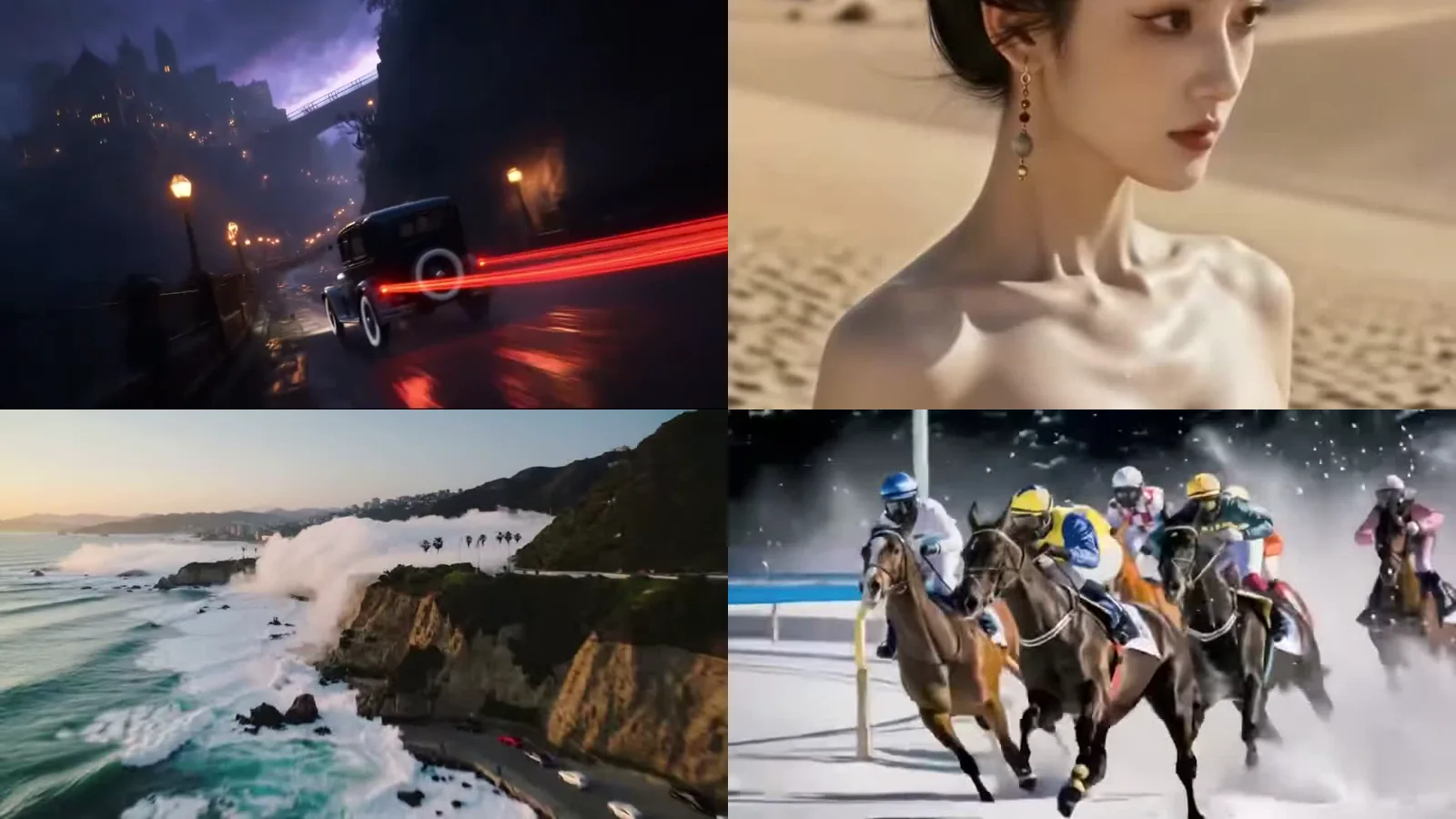
A public showcase-style clip gives you a quicker feel for motion, framing, and pacing than feature bullets alone. For more examples, review the full showcases library.
What the Current Model Lineup Suggests
The current public model list is one of the strongest clues for understanding the product as it exists right now.
Happy Horse2 Fast
The current UI describes this as a faster testing option. The public copy suggests it is intended for:
- quicker generation
- fast concept testing
- 480p and 720p output
- 4s to 15s duration support
If your goal is rough iteration speed, this is the kind of model positioning that matters.
Happy Horse2
The current UI presents this as the more stable version in the current public lineup, again with 480p and 720p support and similar duration ranges. That suggests a more quality-oriented option inside the current product flow.
Happy Horse1.5 Pro
The current public copy calls this the classic version with a familiar workflow. It also appears to support:
- 480p
- 720p
- 1080p
- 4s, 6s, and 8s duration options
This is useful because it shows the current product is not presented as one monolithic model. It is already a small model family or model stack.
So again, if you are searching "what is Happy Horse 1.0," the current public product answer is more nuanced than a single-model definition.
How Happy Horse Pricing Works Right Now
This is where the current site becomes much more concrete.
The current pricing page shows a credit-based model with both:
- membership plans
- one-time credit packs
Membership plans shown on the current page
At the time of review, the public pricing page shows plans such as:
- Starter Monthly - 4,000 credits
- Creator Monthly - 6,500 credits
- Pro Yearly - 48,000 credits
- Studio Yearly - 96,000 credits
One-time packs shown on the current page
The same pricing page also shows one-time packs such as:
- Starter Pack - 4,000 credits
- Creator Pack - 9,000 credits
- Pro Pack - 16,000 credits
Current credit usage examples
The current pricing page also includes usage examples that say credit cost depends on:
- duration
- resolution
- generation mode
- audio
Examples shown on the page include:
- 4s / 480p / text-to-video - 40 credits
- 4s / 720p / text-to-video - 80 credits
- 4s / 720p / image-to-video - 100 credits
That is already useful on its own, but there is one more detail worth flagging:
Another summary line on the pricing page says text-to-video costs 60 credits and image-to-video costs 80 credits.
That means a careful buyer should not assume one universal cost number across every mode and setting. The practical takeaway is simple:
Treat Happy Horse pricing as a live credit system that varies by configuration, and verify the current page before estimating your budget.
That kind of detail is exactly what makes a guide more useful than a generic definition post.
If you are comparing cost versus output, do not stop at the pricing page. Open the actual create workspace right after reading pricing so you can connect the credit examples to the controls you will actually use.
Who Happy Horse 1.0 Is Most Likely For
Based on the current site structure, Happy Horse makes the most sense for users who want to move from concept to draft quickly, especially when they work on:
- short-form video concepts
- creator content
- product demos
- marketing experiments
- reference-guided scene exploration
- iterative visual direction work
If you want to test multiple creative directions without building a full traditional video pipeline first, Happy Horse is easier to understand as a workflow product than as a broad AI buzzword.
Who Should Be More Cautious
Not every query deserves a hype-heavy answer. Some users should evaluate the product more carefully before they buy.
You should be more cautious if you need:
- a full nonlinear editing suite
- long-form production predictability from the first render
- enterprise-grade API-first workflows right now
- exact cost certainty without configuration variance
The current product looks strongest as a generation workflow, not as an all-in-one replacement for every stage of traditional post-production.
What This Guide Can Confirm, and What It Cannot
One of the best things the X article gets right is that useful content draws a line between what can be confirmed and what still needs user testing. That same principle matters here.
What this guide can confirm
- the current site presents Happy Horse as an AI video product
- the public workflow supports prompt, image, and clip or reference-driven generation
- the current generator exposes multiple model options, not just one generic label
- the site includes pricing, create flow, showcases, and supporting pages
- the pricing model is credit-based, with memberships and one-time packs
What this guide cannot fully confirm for you
- whether output quality fits your exact prompt style
- whether reference consistency is strong enough for your subject matter
- whether queue time matches your production rhythm
- whether your real credit burn aligns with the examples shown
- whether the workflow is cost-efficient for your actual publishing volume
That is why a trustworthy "what is Happy Horse 1.0" article should help you make a next decision, not pretend that one article can replace hands-on testing.
A Better 30-Minute Evaluation Plan Before You Pay
If you want a faster and more practical decision path, do this instead of guessing from landing-page language alone.
1. Check the current model list first
Open the AI video generator page or create workspace and look at the current publicly exposed model names. That immediately tells you whether the workflow matches what you thought "Happy Horse 1.0" meant.
2. Read the live pricing page carefully
Use the pricing page to note:
- current pack sizes
- current memberships
- current usage examples
- whether your likely mode is prompt-led or image-led
Do not estimate from one number alone.
3. Run one prompt-led test
Use one narrow, specific prompt. Do not start with a giant all-purpose prompt that tries to test everything at once. Judge:
- prompt adherence
- motion quality
- style direction
- queue time
4. Run one reference-driven test
Then try one image or clip-based workflow. This is often the better real-world test because it shows whether the product can follow direction instead of only producing general novelty output.
5. Compare output quality against credit burn
This is the part that actually matters for a buying decision. A workflow can look exciting in theory but still fail if:
- quality is not reliable enough
- wait time is too slow
- costs scale too quickly for your volume
That comparison matters more than any generic product summary.
If your workflow starts with still visuals instead of text, it is also worth checking the AI image generator first and then moving into the AI video generator. That gives you a cleaner way to test whether Happy Horse works better from prompt-only inputs or from prepared image references.
Why This Version of the Article Is More Useful
A weak SEO article would stop at:
"Happy Horse 1.0 is an AI video generator."
That is not wrong, but it is not enough.
A more useful article should tell you:
- what the current public product actually shows
- where the product labeling is clear and where it is ambiguous
- which models are visible right now
- how pricing currently appears to work
- what you still need to verify yourself before buying
That is the standard this article is aiming for.
Helpful Internal Pages While You Evaluate Happy Horse
If you want this article to do more than rank for a keyword, these are the most useful internal pages to open next:
Final Take
So, what is Happy Horse 1.0?
The most accurate current answer is that Happy Horse 1.0 is best understood as a search intent around the current Happy Horse AI video product, not as a clearly separated standalone 1.0 page on the current public site.
What the current site does clearly show is a real AI video workflow built around:
- prompt-led creation
- image- and clip-guided generation
- visible model choices
- credit-based pricing
- creative controls for motion, framing, and audio
If you want the smartest next step, do not stop at the label. Open Create, review Pricing, compare Showcases, and run one prompt test plus one reference-driven test before you spend more time or money.
FAQ
What is Happy Horse 1.0 in simple terms?
Happy Horse 1.0 appears to be a search label for the current Happy Horse AI video product, which is presented on this site as a credit-based workflow for creating videos from prompts, images, and clips.
Does the current site show a dedicated Happy Horse 1.0 page?
Not clearly. The current public generator more explicitly exposes Happy Horse2 Fast, Happy Horse2, and Happy Horse1.5 Pro.
How does pricing work right now?
The current public pricing structure is credit-based. The site shows one-time packs and memberships, and the actual credit burn depends on mode, duration, resolution, and audio settings.
What should I test before paying?
Run one short prompt-to-video test and one reference-driven test, then compare output quality, queue time, and credit usage before choosing a pack or membership.